Free website accessibility check (nagishut)
Israeli law requires business websites to be accessible to people with disabilities. We will check your site against the Israeli standard and explain in plain language what to fix — and also look at whether leads from the site get lost.
Free · report in a minute · no sign-upNeed a full review of your site and leads?Check your website now
Enter the address — in about a minute the report will appear on this page. No sign-up, no contact details.
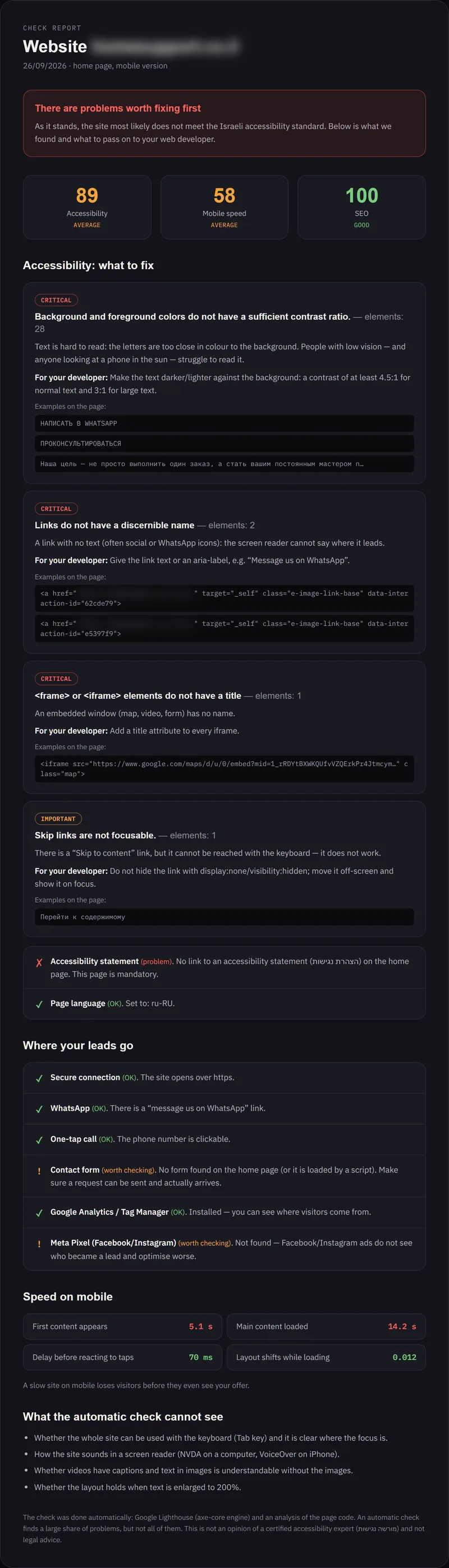
This is the report you will get
A real check of an Israeli company's website — we have hidden the address. Scroll the report or open it full-size.
Israeli website requirements in brief
The site must meet IS 5568
A website through which a business offers its services must meet the Israeli accessibility standard (based on WCAG, level AA): readable contrast, keyboard access, image descriptions, labelled form fields and much more.
An “Accessibility statement” page
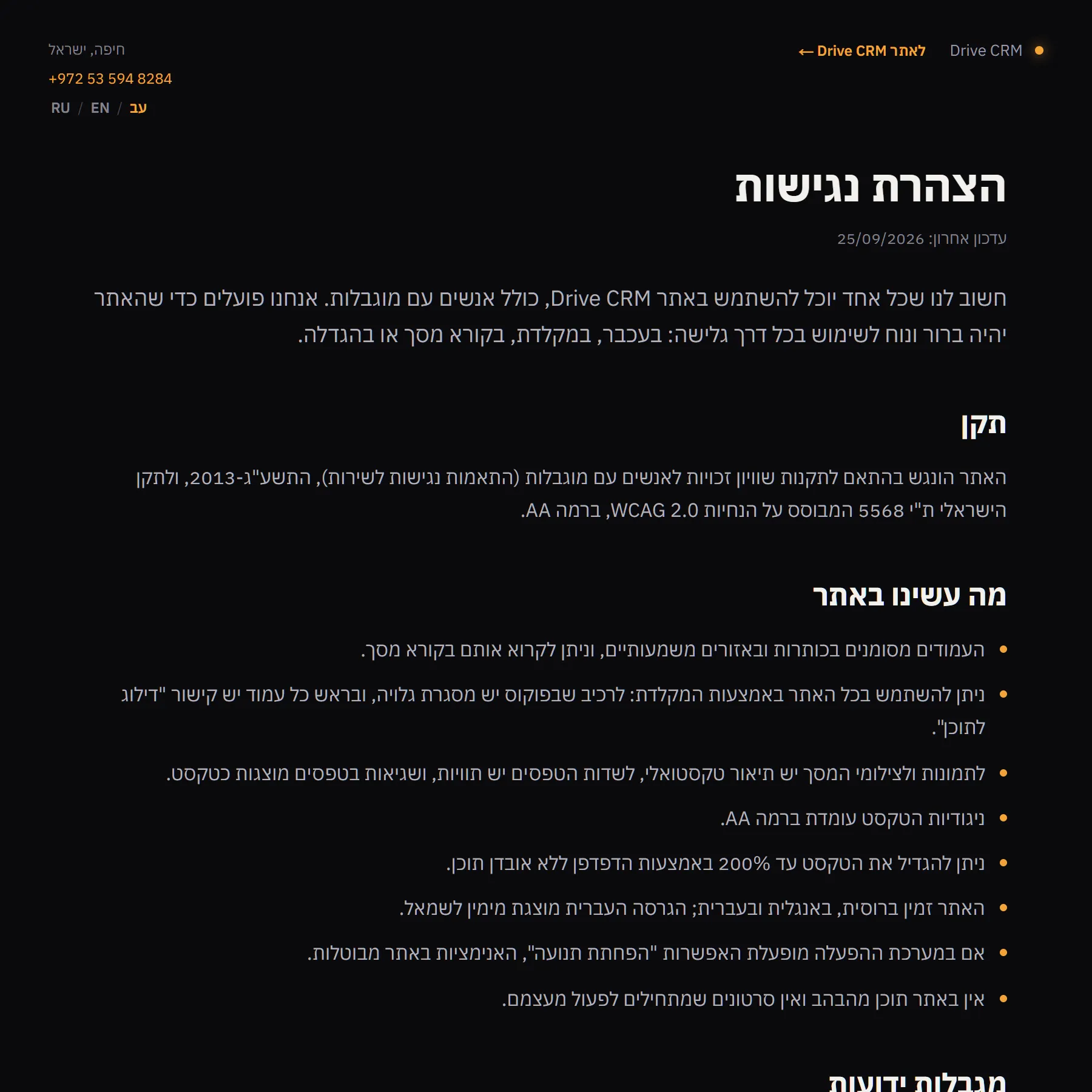
The site must have a “הצהרת נגישות” page: what has been done for accessibility, what has not yet, and how to reach the person responsible for accessibility. It is usually written in Hebrew.
Up to ₪50,000 in compensation — no proof of damage needed
The law allows claims of up to ₪50,000 without proof of damage, and in recent years website owners have received a great many of them. Courts increasingly expect a written request first with time to fix things, but it is calmer to fix everything in advance rather than against a deadline after a lawyer's letter.
Small businesses get some relief depending on turnover. Whether it applies to you is a question for a lawyer: we do not give legal advice.
A popular widget does not guarantee accessibility
The “accessibility” button with the little figure changes font size and contrast, but it does not fix the site itself: forms without labels, images without descriptions, buttons that do not work from the keyboard. And the law requires the site itself to meet the standard.
- In 2025 the US Federal Trade Commission (FTC) ordered the Israeli company accessiBe, maker of one of the most popular widgets, to pay $1 million — for promising that its widget makes any website WCAG-compliant.
- In the US, in 2024 alone more than 1,000 companies were sued over website accessibility despite having a widget installed — about a quarter of all such lawsuits.
Sources: FTC, 2025, UsableNet, 2024 report
A clear report, not a technical list
A report in plain English
Problems by severity — critical, important, minor — with examples taken straight from your site.
A list for your web developer
Exactly what to fix, worded so that a web developer gets it the first time.
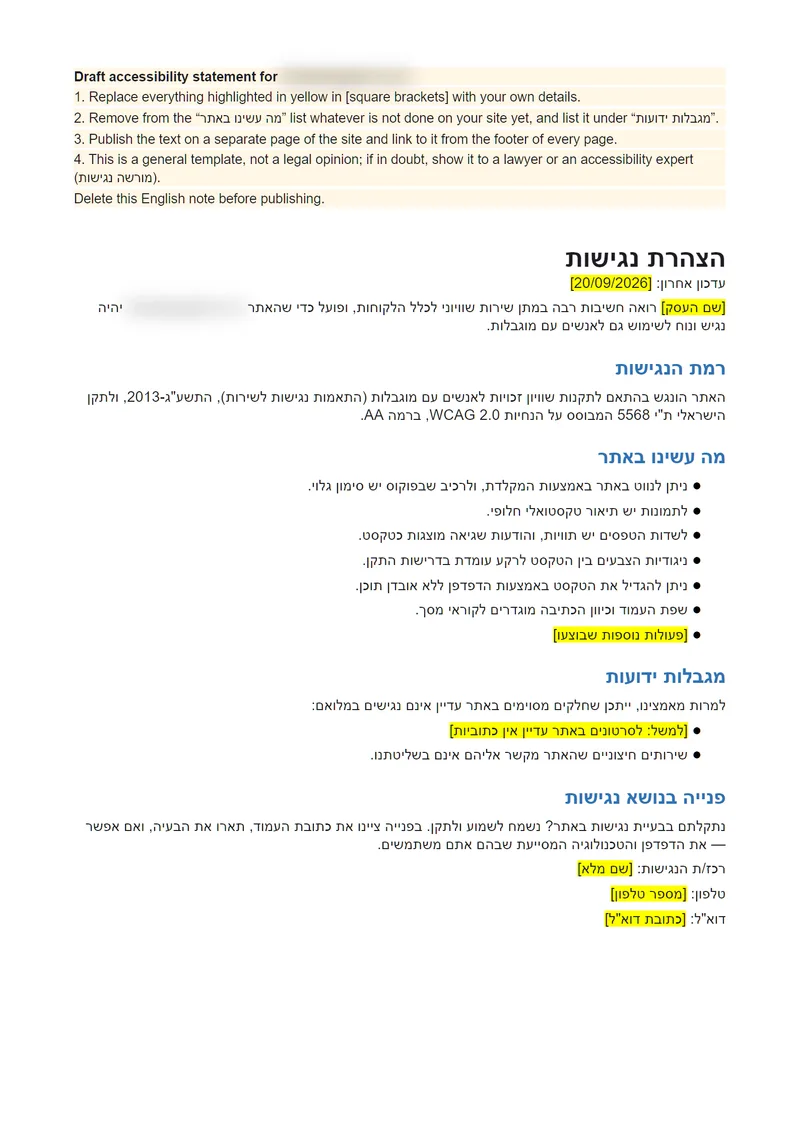
A draft accessibility statement in Hebrew
Ready text for the “הצהרת נגישות” page arrives by e-mail with the report — just fill in your details and publish it on the site.
Bonus: where your leads go
Whether the forms work, whether there is WhatsApp and one-tap calling, whether you can see which ads bring customers.
Full review of your site and lead generation
The free check answers “does the site meet the law?”. The full review answers “why do the site and ads bring fewer customers than they could?”. I do it personally.
The site through the customer's eyes
Is it clear within seconds what you offer and why to trust you; where visitors get lost and leave.
The lead's journey
Forms, WhatsApp, calls: do requests arrive, how fast are they answered and what happens to them next.
Ads and analytics
Can you see which ads bring customers and which only burn budget; what a lead and a deal really cost.
Accessibility (nagishut)
Everything in the free check is part of the review too.
The outcome: a prioritised list of concrete steps and a conversation with me about where to start.
Order a full reviewI see where a business loses customers

Over 25 years in marketing and business, my own agency since 2009, more than 10 years in senior marketing roles, 110+ companies and projects.
Over these years I have reviewed a great many websites and ad campaigns and usually spot the weak points quickly: an unclear offer, a form whose requests go nowhere, ads whose results nobody measures.
That is why I look not only at how the site looks, but at the whole path: from the ad to the request and on to the deal.
- years in marketing and business
- 25+
- my own agency
- Since 2009
- companies and projects
- 110+
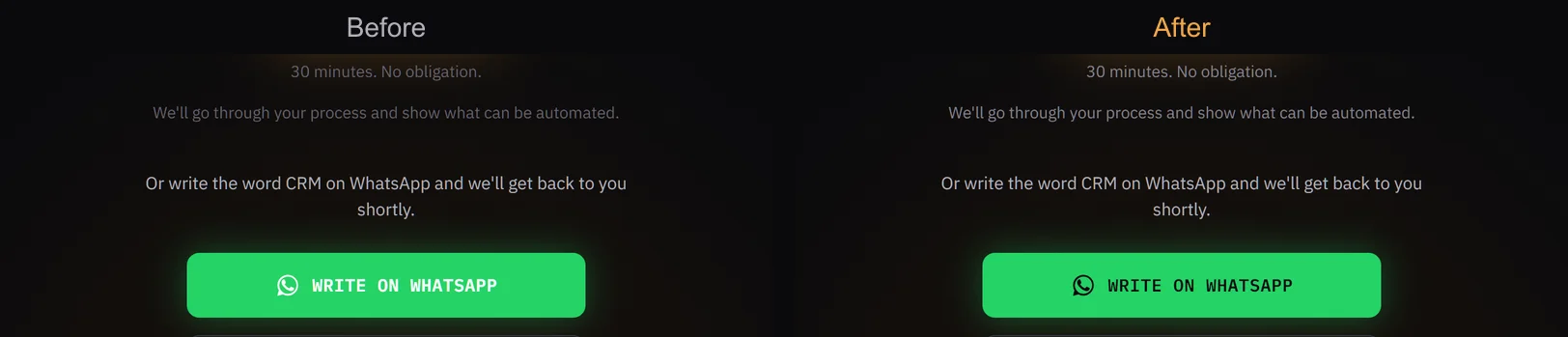
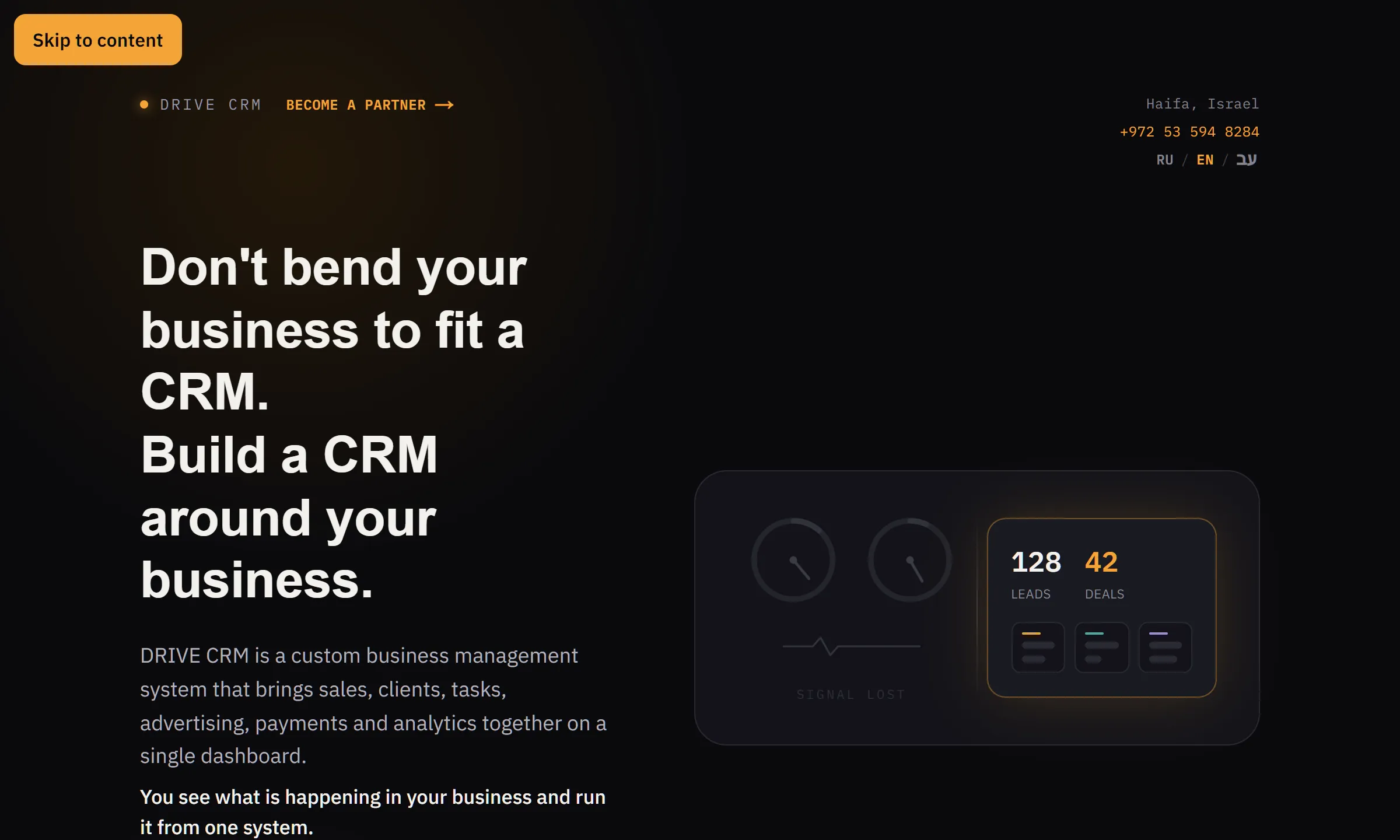
How we made the Drive CRM website accessible
Before
- The automatic check found 3 types of violations of the standard
- About 50 places with weak text contrast on the home page alone
- A video play button with no name for screen readers
- Tables and the client card could not be scrolled from the keyboard
- There was no accessibility statement
What we did
- Raised the contrast of small text and buttons to level AA
- Added a “Skip to content” link and a clearly visible focus frame for keyboard users
- Named buttons and scrollable areas for screen readers
- Respected the system “reduce motion” setting
- Published an accessibility statement in three languages, linked from the footer of every page
After
- 0 violations in the automatic check: 6 pages, 3 languages, desktop and mobile
- Google Lighthouse: accessibility 100 out of 100
- The design stayed the same for regular visitors
Three steps
Enter your site's address
No site access or sign-up needed — we check the public page, just like any visitor sees it.
Watch the check run
About a minute: contrast, images, buttons, forms, mobile, the accessibility statement.
Get the report on screen
Send it to yourself by e-mail or WhatsApp right away — and order a full review if you need help.
Honestly about the limits of the check
- An automatic check finds a large share of problems, but not all of them: some requirements can only be checked manually.
- The report is not an opinion of a certified accessibility expert (מורשה נגישות) and not legal advice.
- We will tell you what to fix, but responsibility for the site's compliance with the law stays with its owner.
Frequently asked questions
Order a full review of your site and lead generation
Site, lead journey, ads and analytics — personally with Artem. Leave your details and I'll get in touch to agree on a time.